---
title: "Export Annual Report in PDF:Word:HTML:Excel Formats"
slug: "export-annual-report-in-pdfwordhtmlexcel-formats"
updated: 2026-02-10T09:10:35Z
published: 2026-02-10T09:10:35Z
canonical: "guide.casepoint.com/export-annual-report-in-pdfwordhtmlexcel-formats"
---
> ## Documentation Index
> Fetch the complete documentation index at: https://guide.casepoint.com/llms.txt
> Use this file to discover all available pages before exploring further.
# Export Annual Report in PDF:Word:HTML:Excel Formats
The Annual Report can be exported in a readable output in the following standard formats: PDF, Word, HTML, or Excel.
## **Steps to Export Annual Report to PDF/Word/HTML/Excel Format**
Click **Reports > Annual Reports > Annual**. The *Annual Report* screen displays as shown below: 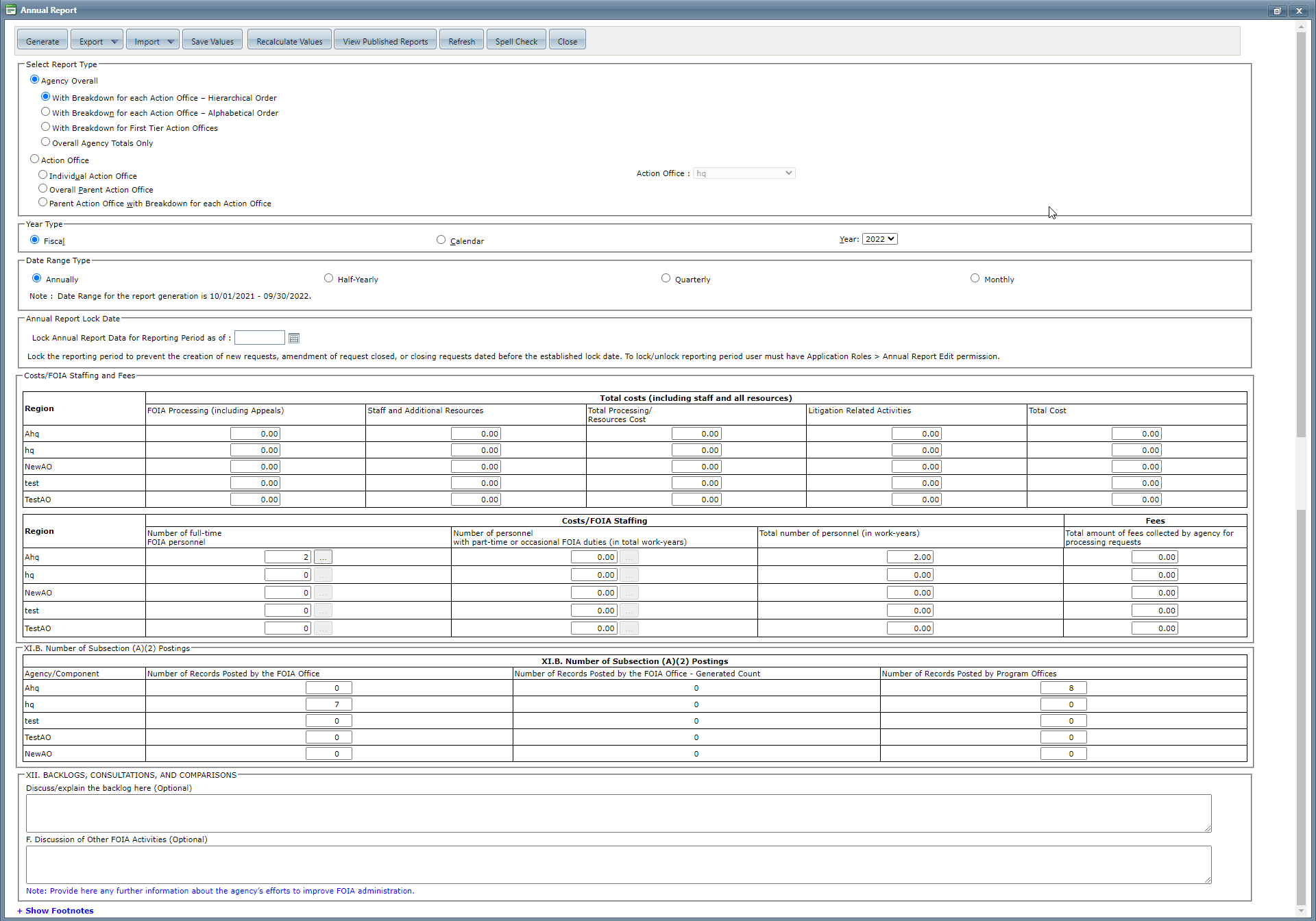
Configure the report output using the fields on this screen, then click **Generate**. A pop up message displays as shown below. Click **Yes** to include footnotes or **No** to exclude footnotes from the output: 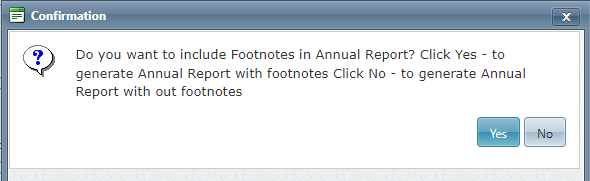
After generating the report, the output displays as shown below. Click **Export** to view the options available for exporting the report: 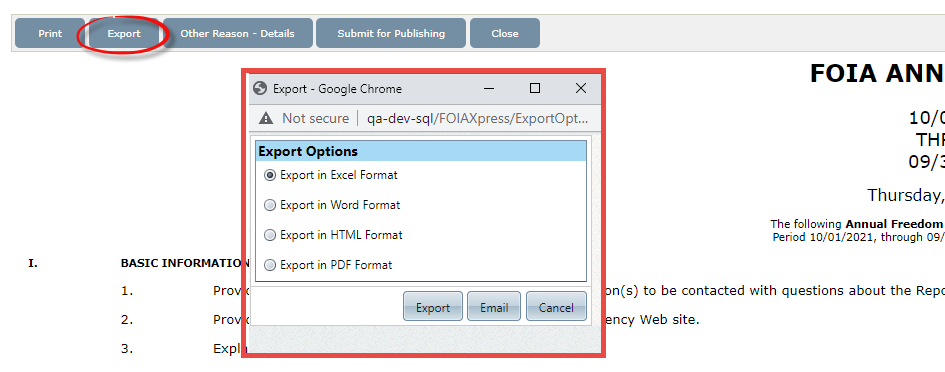
Select an **Export Option**, then select the method for export, either **Export** or **Email**. Click **Export** to save a copy of the ennual report to your local machine in the selected format. Alternatively, click **Email** to send the report to a specified email recipient.